Thermal compliance, clearly documented.
H1 thermal calculations for
New Zealand building consent.
Build wall, roof, floor, glazing and slab inputs; derive areas from marked-up plans; check H1/AS1 Calculation Method results; and generate source-backed thermal evidence for consent documentation.
Thermly is independent.
Products from over 80 manufacturers. Swap insulation products in your project and see whether the building still passes.
Free during pre-launch
Start your first Thermly project.
By creating an account, you agree to the Terms of Use and acknowledge the Privacy Policy.
Built around NZS 4214:2006 construction R-values, H1/AS1 6th edition Calculation Method, calibrated plan take-off, and recorded product source evidence.
The workflow
The full H1 workflow, in one place.
From construction R-values to plan areas, live H1 checks and report-ready evidence.
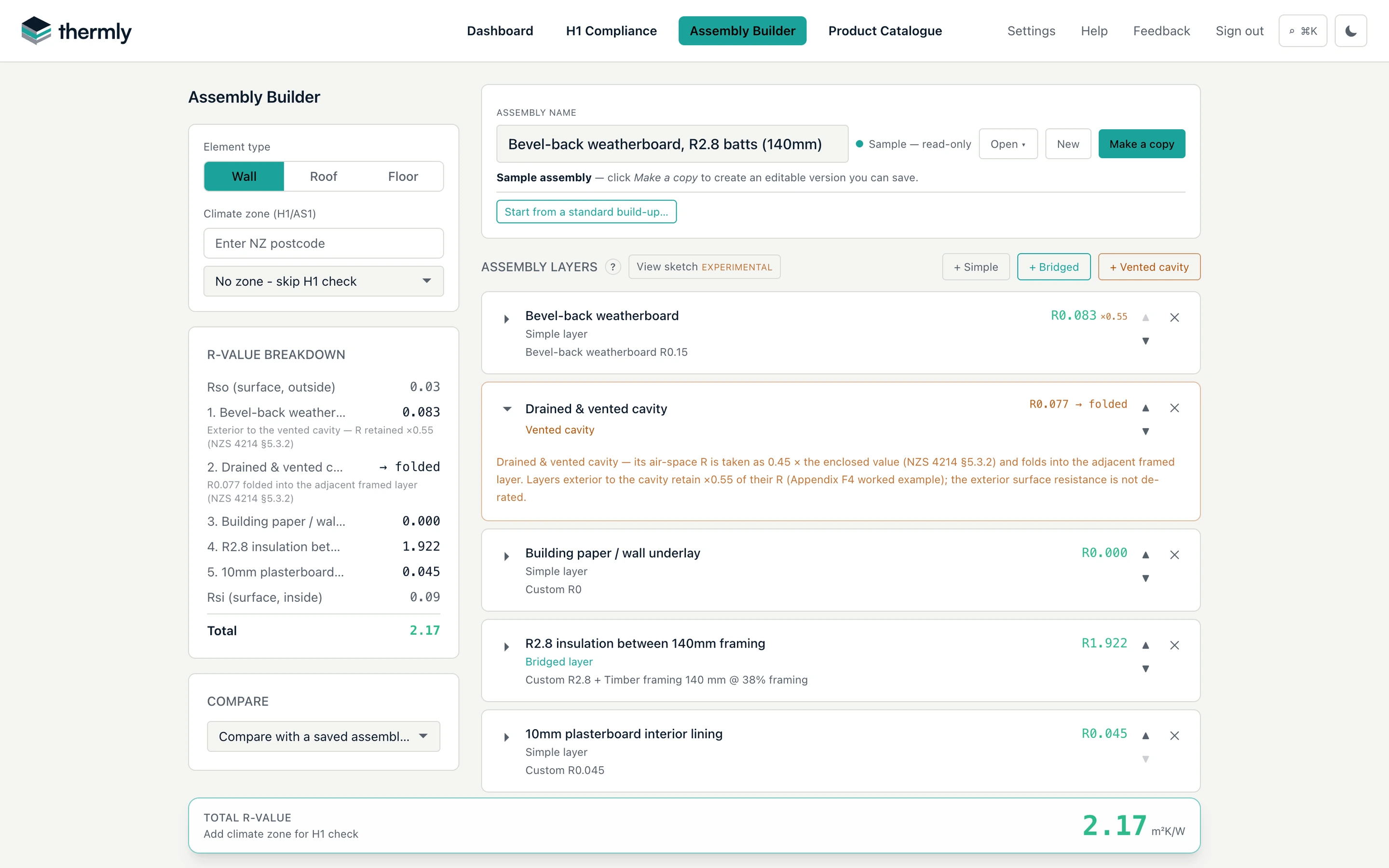
Build up your catalogue of roof, wall and floor assemblies.
Layer up each construction from catalogue products or custom R-values, and save it to reuse across projects. Bridged layers apply the NZS 4214:2006 parallel-path method with the H1/AS1 38% framing default, or use the built-in framing layout calculator to justify a lower fraction from member spacing and noggings. Every layer's contribution is itemised so the result can be reviewed line by line.
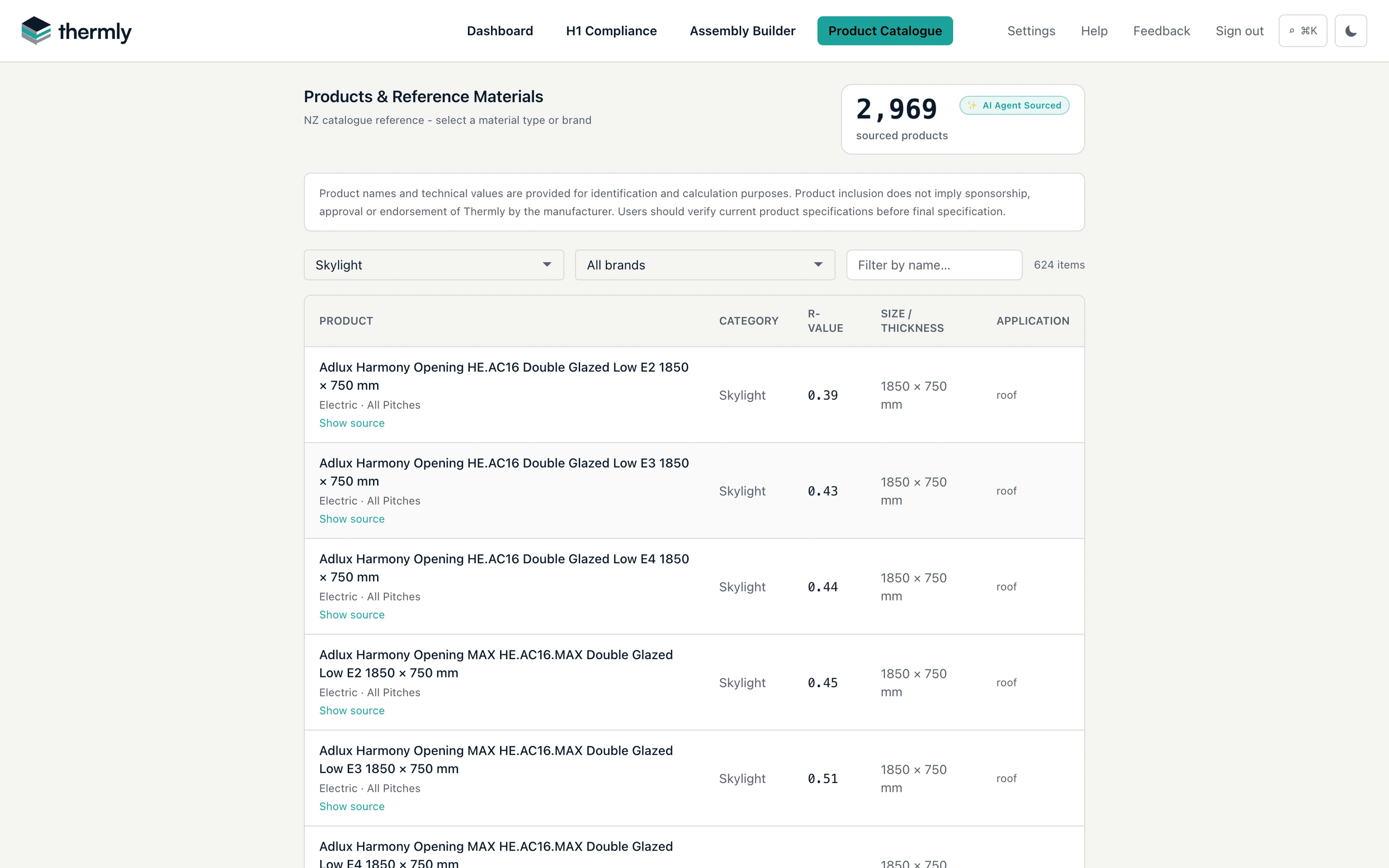
Every brand, not just one.
Every layer in an assembly selects from 2,900+ manufacturer products and reference materials, with R-values, thicknesses and applications, including a dedicated skylight catalogue of complete manufactured units with published whole-unit R-values, sizes and glazing options. Each record links back to a manufacturer datasheet, BRANZ/NZS reference, or published table so assumptions can be checked before submission.
The catalogue is brand-neutral: 80+ New Zealand manufacturers across insulation, framing, linings, wraps, cladding, roofing and slab systems. Mix brands freely in one assembly, frame in timber or steel at your own framing fraction, or enter a custom R-value where no catalogue product fits. Nothing steers you towards a single supplier.
Thermly is independent and is not affiliated with, endorsed by, or sponsored by the product manufacturers listed.
Trace areas from the plan.
Use the plan PDF directly: let Thermly scale it automatically, or calibrate each axis manually from a known dimension. Trace elements as polygons with snapping and precise length entry, or measure walls as lines or polygons. Drop window and door openings onto a wall and Thermly reads each opening's dimensions and its schedule number straight from the plan text, with no re-typing. Areas are calculated from the markup and synced directly to the relevant H1 row.
Wall take-off assist
Point at a wall. One click takes off the whole run.
Hover a wall face and Thermly reads the run straight off the plan's vector line-work: bridging window and door openings and stopping square where it meets the crossing wall. Click once to add it as a measured wall, press Tab to take the opposite face instead, and every run stays an ordinary plan line you can edit, merge or undo.
Works on vector plan PDFs with a calibrated scale: switch it on under Settings → Plan markup.
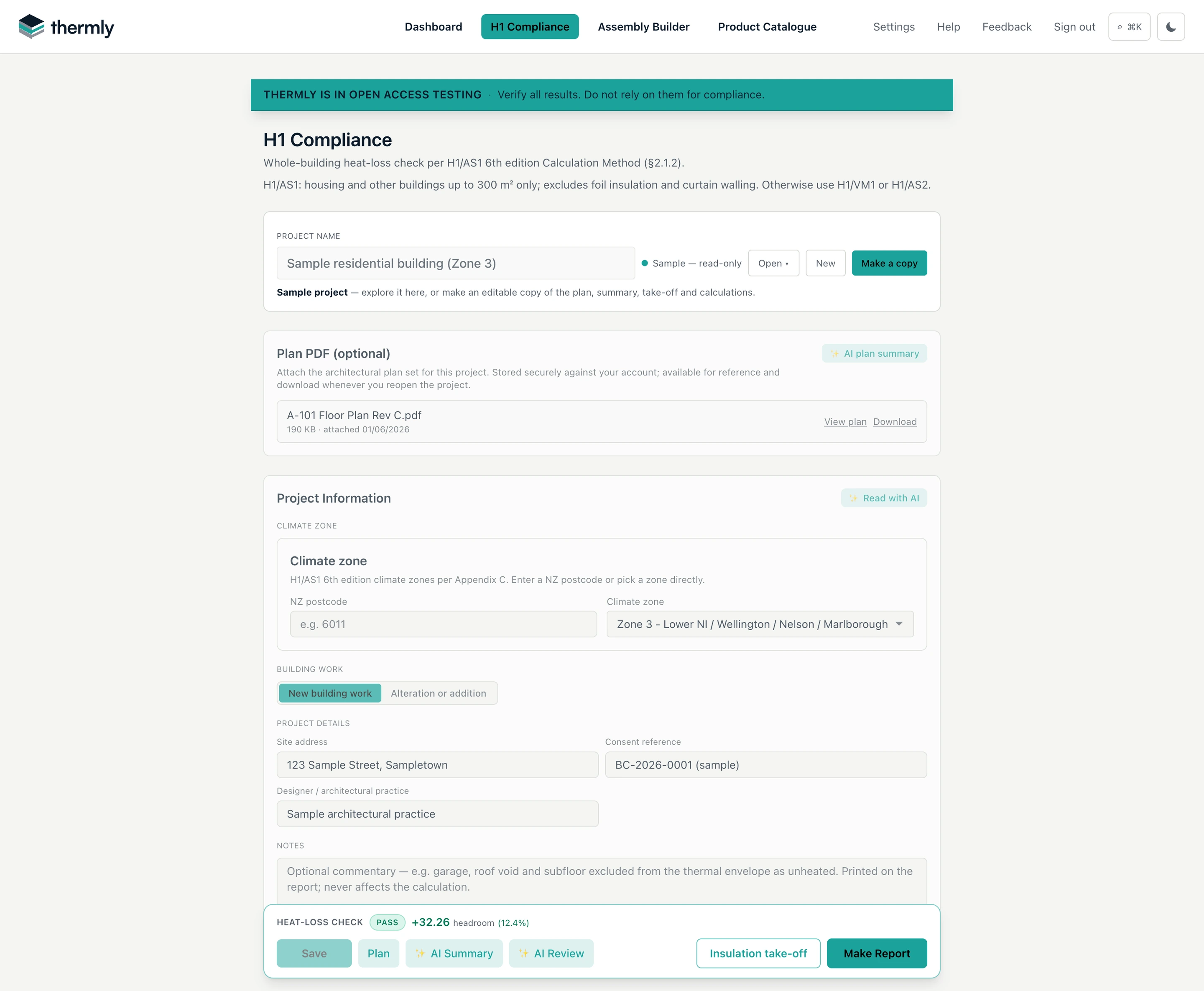
Check heat loss as you build the envelope.
The H1/AS1 Calculation Method check updates live as the envelope is entered (proposed vs reference heat loss, headroom, and per-element minimums), with a one-click H1 report and insulation take-off when it passes.
AI plan reading and review
Let the plan fill in the form, then check it.
AI Summary reads the plan set once and lists everything the H1 form needs, in form order, saved with the project. Read with AI fills in the project information. Before you make the report, AI Review checks your inputs for gaps, compliance blockers and risks, and cross-checks them against the plan.
Advisory only: every value stays yours to review and adjust.
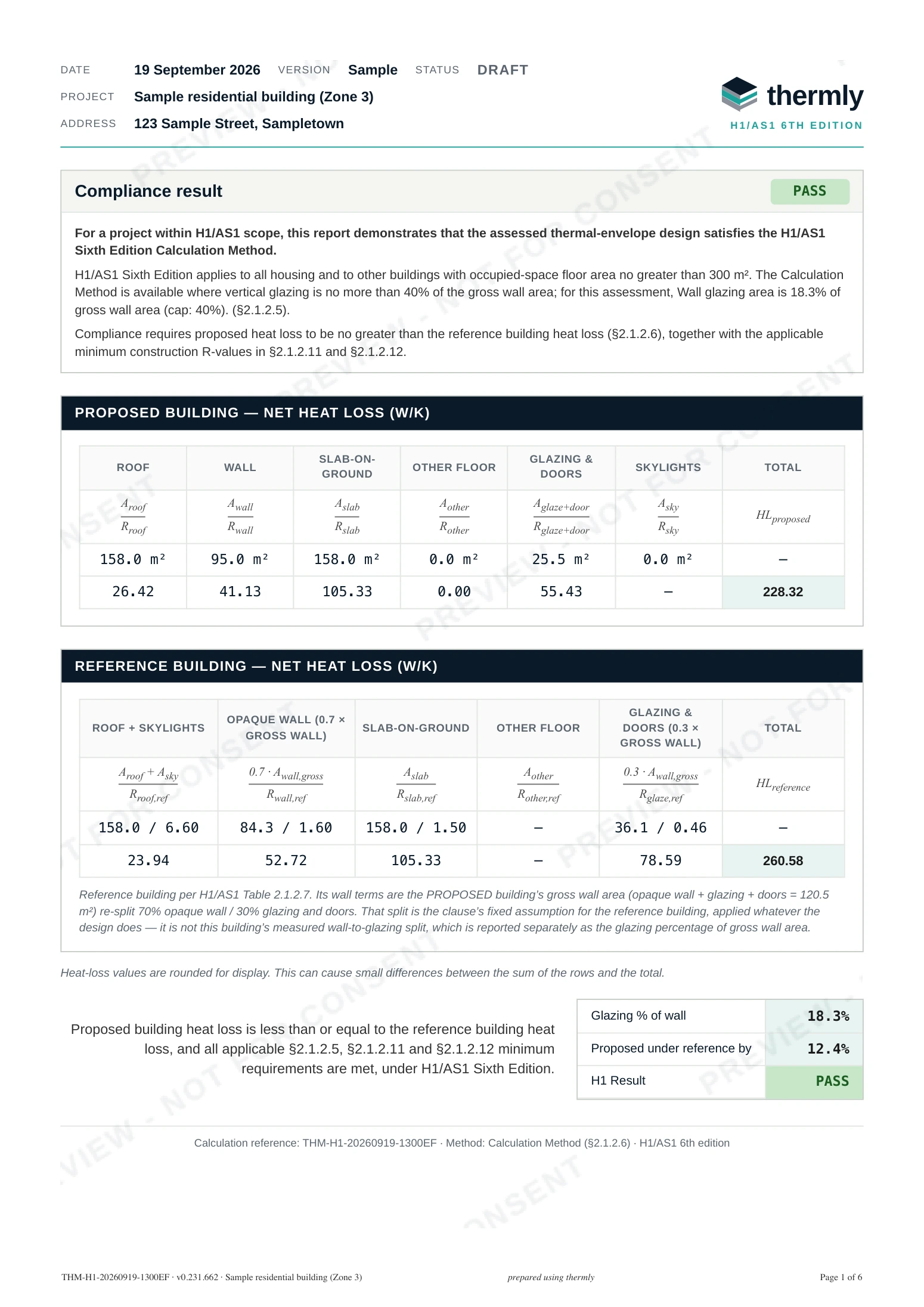
Generate the report. Evidence, not just a number.
The H1 report sets out the proposed and reference building heat-loss tables with the equations behind every figure, per-element minimum R checks, assembly build-ups, marked-up plan extracts, and a references page citing the standards and manufacturer datasheets behind each value, so a processing officer can trace every assumption.
Apply your own logo and accent colour and they replace Thermly's on every page. Set it once, and every report your organisation generates goes out under your practice's brand.
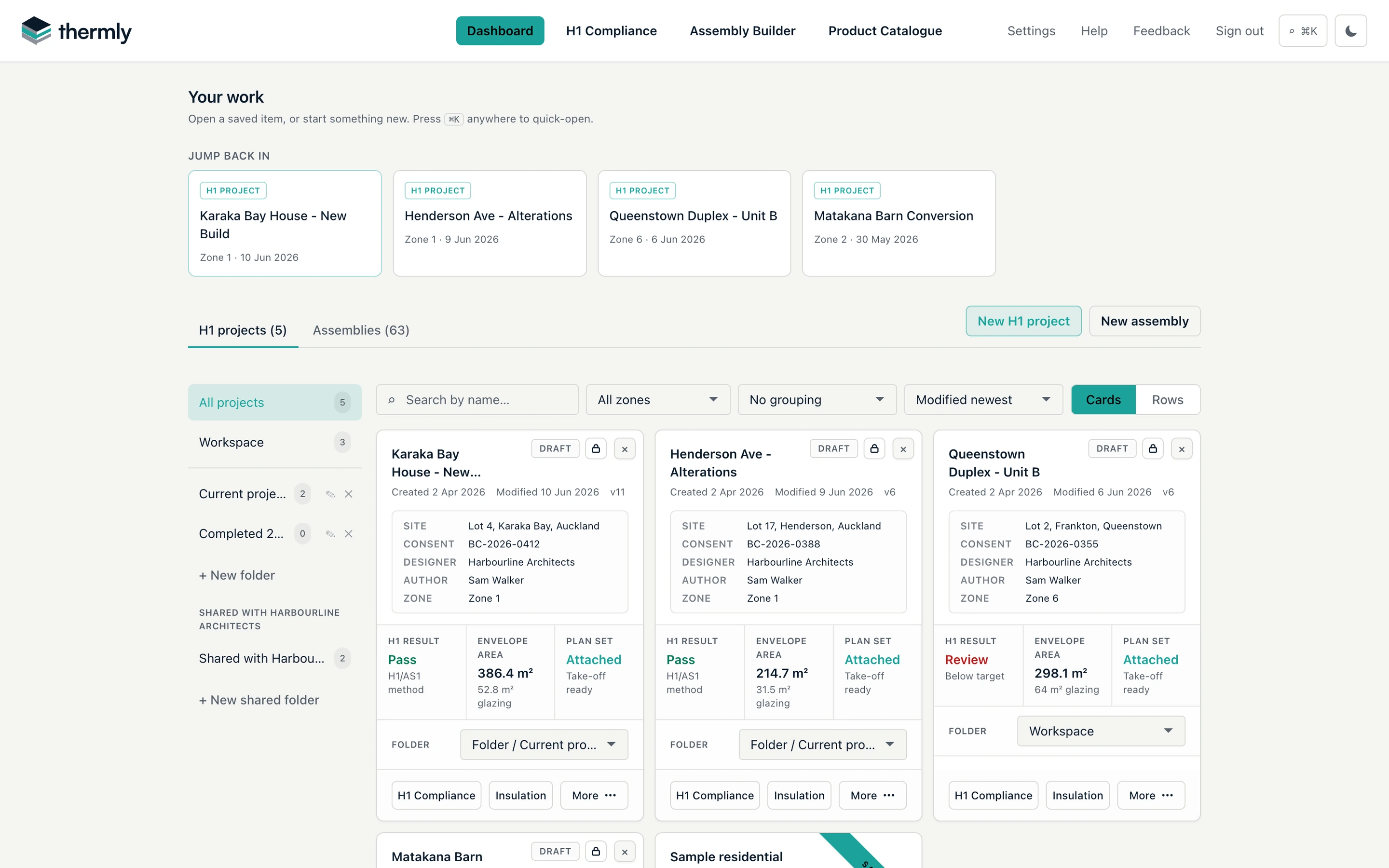
Every project, one dashboard.
Organised, shared, and searchable.
File projects and assemblies into folders, and share them with your organisation: teammates get role-based access and co-edit safely with one editor at a time, so nothing is ever overwritten. Each card shows the live H1 status, envelope area and whether a plan is attached.
Search and filters cover every project and assembly, or press Ctrl K anywhere in the app to jump straight to any project, assembly or page.
Also in Thermly
The rest of the H1 job, covered.
Alterations and additions
Switch a project to an alteration or addition and mark each element as new building work, existing and unchanged, or existing and altered. An altered element records its before-state R-value, evidenced or a stated conservative value.
How H1 applies to alterationsA free insulation take-off
Once the envelope is in, the insulation take-off schedules each product by area with a waste allowance, ready to price and order. It is free with every project.
Climate zone, window and slab lookups
Find the climate zone from a postcode, and look up glazing and slab-on-ground R-values from the published tables instead of working them out by hand.
Find a climate zone
Get started
From plan to H1 report, in one project.
Create a free account to save projects, take off areas from your plans and generate the H1 report.
Thermly is in open access testing. Verify every result yourself before you rely on it or submit it. Use is at your own risk.
Free during pre-launch
Start your first Thermly project.
By creating an account, you agree to the Terms of Use and acknowledge the Privacy Policy.